
Employee incident report form: RIDDOR-ready template for safety managers
Employee incident report form: RIDDOR-ready template for safety managers
A practical guide for UK employers on capturing incident facts accurately, supporting investigations, and meeting HSE and RIDDOR obligations across construction, manufacturing, logistics, facilities, and higher-risk workplaces.
TL;DR
- An incident report form records who was involved, what happened, injuries, actions taken, and evidence collected to support investigations and legal compliance.
- It must include essential fields such as the reporter’s details, incident specifics, involved persons, witness contact information, and a factual description.
- UK employers must assess each incident against RIDDOR 2013 reporting thresholds and maintain records that stand up to scrutiny from the HSE, insurers, and internal investigators.
- Consistently completed, accurate reports enable proactive safety management, stronger trend analysis, and more effective prevention of repeat events.
A well-structured employee incident report form captures who was involved, what happened, when and where it occurred, what injuries were sustained, what immediate actions were taken, and what evidence was collected. Download a ready-to-use template below, or copy the field list directly into your existing documentation system.
Download options: Word/PDF editable template | Copyable field list in Section 6 below.
Every effective workplace incident report must include these fields as a minimum:
- Reporter’s full name, job title, and contact details
- Exact date, time, and location of the incident
- Names and contact details of all persons involved and witnesses
- Factual description of what happened (no speculation)
- Nature of injury or illness, body part affected, and treatment given
- Equipment, substances, or materials involved
- Immediate actions taken (first aid, evacuation, isolation)
- Whether absence from work occurred or is anticipated
- Attachments: photographs, CCTV reference, medical notes
- Follow-up owner, corrective action required, and deadline
What is an employee incident report form and why does it matter for UK employers?
An employee incident report form is a structured document completed by the affected worker, a supervisor, or both, to record the facts of a workplace incident immediately after it occurs. The form captures the raw evidence that supports investigations, insurance claims, and legal proceedings. Without it, details fade, accounts diverge, and employers lose the ability to demonstrate due diligence.

For UK employers, standardised record keeping is not optional. The Health and Safety Executive (HSE) expects organisations to maintain accurate records of work-related injuries, illnesses, and dangerous occurrences. Under the Reporting of Injuries, Diseases and Dangerous Occurrences Regulations 2013 (RIDDOR), certain categories of incident must be formally reported to the HSE. A completed incident report form is the starting point for that assessment.
Beyond compliance, the form serves a broader purpose. When aggregated across teams and sites, incident records reveal patterns that no single event would expose. The HSE is clear that the primary value of record keeping lies in proactive risk prevention, not just documentation after the fact.
In higher-risk sectors such as construction, manufacturing, warehousing, and building management, incident forms also support wider duties under the Health and Safety at Work etc. Act 1974, CDM 2015, and, where relevant, the Building Safety Act. A poor record can weaken an investigation into supervision, planning, competence, maintenance, or control measures. A strong record helps demonstrate that the organisation acted promptly, responsibly, and in line with its legal duties.
What fields must every UK employee incident report form include?
Incident report templates guide users through gathering consistent, actionable information. The table below maps each field to its purpose and gives a one-line example you can copy directly.
| Field | Why it matters | Example entry |
|---|---|---|
| Reporter name and job title | Establishes accountability and the reporter’s proximity to the event | “Jane Smith, Production Operative” |
| Incident date and time | Required for RIDDOR assessment and legal timelines | “14 March 2026, 09:47” |
| Exact location | Enables site inspection and hazard identification | “Warehouse B, Loading Bay 3, near roller door” |
| Persons involved | Links the record to HR and occupational health files | “Tom Davies (employee), Maria Costa (contractor)” |
| Witness names and contact details | Supports independent corroboration of the account | “Lee Park, 07700 900123, [email protected]” |
| Factual incident description | The evidential core; must be neutral and observation-based | “Operative slipped on wet floor while carrying a box; no wet floor sign was present” |
| Injury or illness detail | Determines first aid, medical referral, and RIDDOR category | “Laceration to left forearm, approximately 4 cm; treated by first aider on site” |
| Equipment or substances involved | Identifies whether COSHH, PUWER, or other regulations apply | “Forklift truck FLT-07; hydraulic fluid spillage” |
| Immediate actions taken | Shows duty of care and informs the investigation | “First aid applied; area cordoned off; supervisor notified at 09:52” |
| Absence from work | Triggers over-seven-day RIDDOR reporting if applicable | “Employee absent from 15 March; expected return 22 March” |
| Attachments | Preserves photographic and documentary evidence | “Photos 1–4 attached; CCTV clip saved to server folder /incidents/2026-03-14” |
| Follow-up owner and deadline | Closes the loop between report and corrective action | “H&S Manager, corrective action due 21 March 2026” |
Pro Tip: Write every description as a factual observation, not an interpretation. “Operative slipped on wet floor” is evidence. “Operative was careless” is speculation and can undermine both investigations and legal proceedings.
How do you fill in an incident report accurately?
Speed and accuracy matter equally. The longer the gap between the event and the written record, the more detail is lost and the harder it becomes to establish a reliable timeline.
- Provide immediate care first. Attend to any injured person before touching paperwork. Call emergency services if needed.
- Secure the scene. Cordon off the area to preserve physical evidence. Do not move equipment or clean up spills until the scene has been documented.
- Capture evidence at the scene. Take dated photographs from multiple angles. Note the CCTV camera reference numbers and request footage preservation immediately, as many systems overwrite within 24–72 hours.
- Complete the employee statement. The affected worker completes their section as soon as they are fit to do so, describing what they were doing, what happened, and what they felt or observed. First-hand accounts should be in the employee’s own words.
- Notify the supervisor. The supervisor reviews the initial statement for completeness, confirms the location and time details, and identifies any witnesses who have not yet provided a statement.
- Submit the form. The completed form goes to the designated H&S lead or HR contact within the internal deadline. Both the employee and supervisor sign and date their respective sections.
Many institutions separate the employee’s initial account from the supervisor’s investigation section, completing each at different stages. This separation keeps first-hand observations distinct from analytical conclusions and is good practice for any organisation.
Supervisor checklist after receiving the form:
- Confirm all mandatory fields are complete
- Obtain signed witness statements
- Classify injury severity (first aid, medical treatment, lost time, specified injury, fatality)
- Assess whether a RIDDOR report to HSE is required
- Assign corrective actions with named owners and due dates
Pro Tip: Record the exact time each section is signed and by whom. Version control matters: if the form is amended after initial submission, note the reason, the date of amendment, and who made the change. Unsigned or undated forms carry significantly less evidential weight.
When must you submit incident reports, and what are your RIDDOR obligations?
Internal reporting should happen fast. The incident record should be completed within 24 hours of the event. Supervisor review and RIDDOR assessment should follow within 48–72 hours. These are not arbitrary targets; they reflect how quickly physical evidence degrades and witness recall fades.
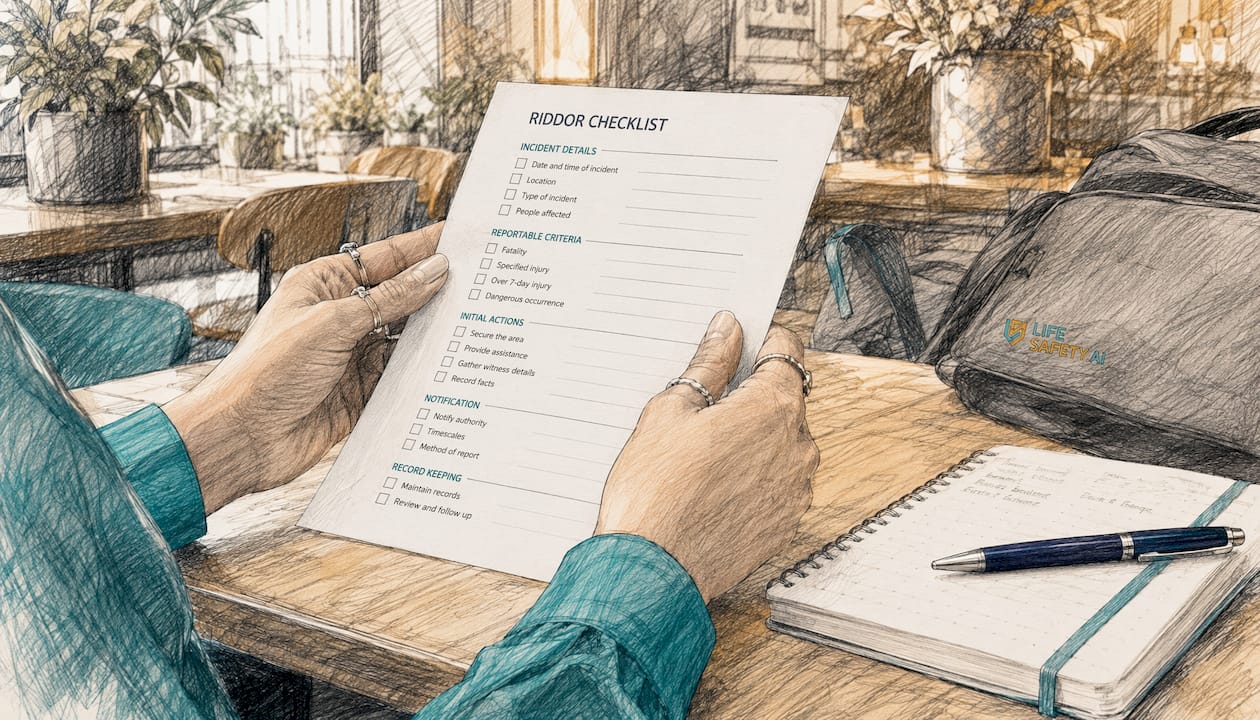
RIDDOR sets out the categories of incident that UK employers must formally report to the HSE. An internal form alone does not satisfy this duty.
| Incident type | RIDDOR reporting requirement |
|---|---|
| Work-related fatality | Report to HSE immediately, then submit written report within 10 days |
| Specified injury to a worker (e.g. fracture, amputation, loss of sight) | Report to HSE without delay |
| Over-seven-day incapacitation (worker unable to perform normal duties) | Submit written report within 15 days of the incident |
| Work-related disease (e.g. occupational asthma, hand-arm vibration syndrome) | Report when a GP confirms diagnosis |
| Dangerous occurrence (near miss with potential for serious harm) | Report to HSE without delay |
A RIDDOR report often requires more detail than an initial incident form captures, particularly around the mechanism of injury and the worker’s employment status. Digital forms that include conditional logic can prompt the reporter to complete additional fields automatically when a RIDDOR-relevant category is selected, reducing the risk of an incomplete submission.
For principal contractors and dutyholders operating under CDM 2015, prompt reporting is also essential for coordinating site controls, reviewing RAMS, and informing designers, contractors, and clients where systemic issues are identified. In occupied higher-risk buildings, incident records may also feed into broader governance expectations under the Building Safety Act, especially where building systems, fire precautions, or resident safety could be affected.
Where can you find ready-to-use incident report templates?
Several formats are available depending on your team’s working environment and technical setup.
- Word (.docx): Editable on any device, easy to brand and adapt. Best for office-based H&S teams who manage distribution centrally. See our incident report template Word guide for customisation advice.
- PDF: Fixed layout, harder to alter accidentally, suitable for printing and signing on site. Free editable PDF and Word downloads are available and include all core fields.
- Google Docs / Sheets: Accessible from any browser, supports real-time collaboration, and allows supervisors to review remotely. Suitable for multi-site organisations with reliable internet access.
- Online or mobile form: The fastest option for frontline workers. Fields can be made mandatory, photos attached at the scene, and submissions timestamped automatically. The right choice for construction, manufacturing, logistics, and any environment where paper is impractical.
Choosing the right format:
- Frontline workers on site: mobile or online form
- Office-based or hybrid teams: Word or Google Doc
- Regulated industries requiring signed originals: PDF with wet or e-signature
- Organisations needing audit trails and RIDDOR automation: dedicated H&S software
For industry-specific tailoring, healthcare organisations often add addenda for blood or body fluid exposures, while construction teams may need additional fields for site induction status, contractor company, permit-to-work reference, plant involved, and RAMS review outcome. Manufacturing businesses may add machine ID, lockout status, batch references, and maintenance history.
The key principle is consistency. A template should be simple enough for rapid completion under pressure, but detailed enough to support legal review, root cause analysis, and corrective action tracking.
What happens after you file the report?
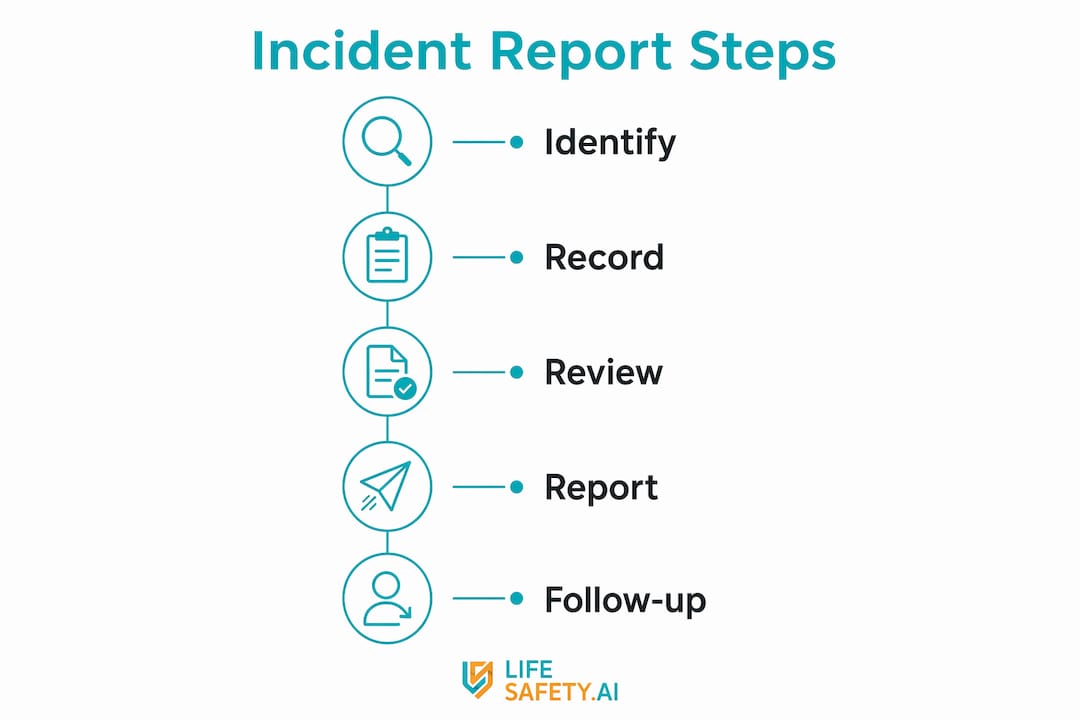
Filing the form is the beginning of the process, not the end. Once submitted, the report should move into a structured review and investigation workflow. The objective is to determine what happened, why it happened, and what controls are needed to prevent recurrence.
- Triage the incident. Confirm whether it is a first-aid case, lost-time injury, dangerous occurrence, environmental event, property damage incident, or near miss.
- Assess legal reporting duties. Check whether the event meets the threshold for RIDDOR reporting or triggers any contractual notification requirements.
- Launch the investigation. Gather witness statements, inspect the scene, review training records, maintenance logs, permits, and relevant risk assessments.
- Identify immediate and underlying causes. Distinguish between unsafe conditions, unsafe acts, supervision failures, design issues, workload pressures, and management system weaknesses.
- Assign corrective actions. Actions should be specific, measurable, and owned by named individuals with realistic deadlines.
- Communicate lessons learned. Share findings with affected teams, contractors, and managers so the learning is embedded across the organisation.
- Close out and verify. Confirm that actions have actually been completed and that the control measures are effective in practice.
In mature safety systems, this post-reporting stage links directly to risk assessments, method statements, training records, asset maintenance, and audit findings. If an incident reveals a failed control, the relevant documents should be reviewed and updated. This is particularly important on construction projects where CDM coordination, contractor management, and temporary works controls may all be affected.
Employers should also consider whether the event indicates a wider trend. A single slip, manual handling strain, or plant contact event may appear isolated, but repeated reports often point to deeper issues such as poor housekeeping, unrealistic production pressure, inadequate supervision, or ineffective training.
Why digital, mobile-first reporting improves your incident data
Paper forms still have a place in some environments, but digital, mobile-first reporting offers clear operational and compliance advantages. When workers can report incidents on the device already in their hand, organisations capture better data, faster.
- Faster reporting: Incidents can be logged at the scene rather than reconstructed later from memory.
- Mandatory fields: Critical information cannot be skipped accidentally.
- Automatic timestamps: Submission times, edits, and approvals are recorded without manual intervention.
- Photo and file upload: Evidence is attached directly to the record, reducing loss and duplication.
- Conditional logic: Additional questions appear automatically for specified injuries, contractor involvement, plant incidents, or RIDDOR triggers.
- Audit trail: Managers can see who submitted, reviewed, amended, and closed each case.
- Cross-site visibility: Trends can be analysed across projects, depots, buildings, and business units.
For UK safety managers, the biggest benefit is often data quality. Better data supports better decisions: more accurate trend analysis, more targeted interventions, and stronger evidence during HSE inspections or insurer reviews. It also reduces the administrative burden on supervisors who would otherwise chase missing details after the event.
In sectors with dispersed workforces, such as field services, social housing, construction, and logistics, mobile reporting also improves consistency between direct employees, agency workers, and contractors. Everyone follows the same workflow, using the same mandatory fields and escalation rules.
Key takeaways
- An employee incident report form is the foundation document for workplace investigations, insurance handling, and legal compliance.
- Every form should capture the core facts: people involved, date, time, location, factual description, injury details, evidence, and immediate actions.
- Descriptions must remain objective and evidence-based; avoid blame, assumptions, and opinion.
- Internal reporting should happen quickly, ideally within 24 hours, with prompt supervisor review and RIDDOR assessment.
- An internal form does not replace formal reporting duties under RIDDOR 2013.
- Digital, mobile-first forms improve completeness, speed, auditability, and trend analysis.
- Consistent reporting helps organisations move from reactive paperwork to preventive safety management.
Why consistent forms matter more than most organisations realise
Many organisations underestimate the operational value of a standard incident form. In practice, consistency is what makes incident data usable. If one site records witness details, another omits them, and a third uses free-text descriptions with no structure, trend analysis becomes unreliable and corrective action becomes harder to prioritise.
Standardisation improves:
- Comparability: Similar incidents can be grouped and analysed across teams and locations.
- Escalation: Serious events are identified quickly and routed to the right decision-makers.
- Defensibility: Records are more likely to withstand scrutiny from regulators, insurers, and legal advisers.
- Learning: Lessons learned can be shared in a structured way rather than buried in inconsistent narratives.
- Governance: Senior leaders gain clearer visibility of recurring hazards, overdue actions, and weak controls.
This matters particularly in businesses managing multiple contractors, temporary labour, or complex estates. Under CDM 2015, clients, principal designers, and principal contractors all rely on accurate information flows. Under the Building Safety Act, accountable persons and building safety teams need dependable records where incidents may affect resident safety, fire precautions, or building systems.
Put simply, a consistent form is not just an administrative tool. It is a control measure in its own right.
Lifesafety’s incident reporting module: built for UK compliance
LifeSafety.ai’s incident reporting workflow is designed for organisations that need more than a static form. It supports structured capture of incident data, evidence collection, escalation, and action tracking in a format aligned to UK compliance expectations.
- Mobile-first reporting for frontline teams, contractors, and supervisors
- Mandatory fields and conditional logic to improve completeness and reduce omissions
- Photo, document, and evidence attachment at the point of reporting
- RIDDOR-aware workflows to support rapid assessment of reportable events
- Corrective action tracking with named owners, deadlines, and status visibility
- Audit trails and version history for defensible record keeping
- Cross-module links to risk assessments, inspections, training, permits, and asset records
For safety leaders in construction, manufacturing, housing, and facilities management, this creates a more joined-up system: incidents are not isolated records, but part of a wider compliance and risk management framework. That means faster investigations, clearer accountability, and stronger evidence that lessons learned have been acted upon.
If your current process relies on emailed PDFs, handwritten notes, or inconsistent spreadsheets, moving to a structured digital workflow can materially improve both compliance performance and operational learning.
Useful sources and further reading
The following sources are useful when reviewing your incident reporting process, templates, and legal duties:
- HSE: RIDDOR guidance and reporting portal
- Reporting of Injuries, Diseases and Dangerous Occurrences Regulations 2013
- HSE: CDM 2015 guidance
- Building Safety Act 2022
- HSE: Keeping health and safety records
- LifeSafety.ai: Incident report template Word guide
Reviewing these alongside your internal procedures will help ensure your forms are not only easy to complete, but also robust enough to support investigation quality, legal compliance, and continuous improvement.
Practical next step
Audit your current incident form against the minimum fields listed above. If key details such as witness contacts, evidence attachments, absence tracking, or corrective action ownership are missing, update the template before the next incident occurs. Good reporting systems are built before they are needed.
Related Articles

Risk Assessment vs Method Statement (RAMS): What’s the Difference?
A risk assessment identifies what could cause harm; a method statement sets out how the work will be done safely. Here is how they differ, what UK law actually requires, and when you need both.

OSHA regulations explained for UK safety managers
Learn how OSHA regulations differ from UK safety laws. Discover essential actions for compliance and protect your workplace effectively.

Compliance monitoring examples for safety professionals
Discover practical compliance monitoring examples to enhance safety, protect workers, and ensure regulatory compliance in your organization.