
Mobile incident logging explained for safety professionals
Mobile incident logging explained for safety professionals
Mobile incident logging enables real-time digital capture of workplace incidents using smartphones and tablets, helping safety teams improve reporting speed, preserve evidence quality, and maintain stronger compliance with RIDDOR, HSE expectations, CDM 2015, and wider duty-of-care obligations.
TL;DR
- Mobile incident logging enables real-time digital recording of workplace safety events, improving reporting speed and compliance by capturing immediate, audit-ready data.
- Purpose-built, offline-capable mobile-first platforms with multimedia evidence and integration features significantly enhance investigation quality and regulatory adherence.
- Adopting such systems fosters a proactive safety culture by reducing friction and ensuring accurate, timely incident documentation across construction, manufacturing, and other high-risk environments.
Mobile incident logging is the real-time digital capture of workplace safety incidents using mobile devices, replacing paper forms with instant, audit-ready records that satisfy RIDDOR and CDM 2015 requirements. Where a paper-based report might take 47 minutes to complete, a well-designed mobile system reduces that to under 10 minutes. Platforms such as LifeSafety.ai, Marine Inspection, and React Native-based safety apps have made this capability accessible to frontline workers across construction, manufacturing, and high-risk industrial environments. Understanding mobile incident logging means understanding how speed, accuracy, and compliance converge in a single device your workers already carry.
How mobile incident logging improves reporting speed and compliance
The performance gains from mobile incident reporting are not marginal. A 2026 manufacturing study found that reporting time fell from 47 to 8 minutes after introducing a real-time mobile app, representing an 83% improvement. That kind of reduction means incidents get logged before details fade, witnesses disperse, or scene conditions change.
The same study recorded a 46.4% rise in compliance and a 207.1% increase in near-miss reporting over six months. Near-miss reporting is one of the strongest leading indicators of serious accident prevention, so that figure carries significant weight for any health and safety professional managing risk proactively under HSE scrutiny.
Three mechanisms drive these results:
- Auto-timestamping records the exact moment of submission, creating a contemporaneous record that satisfies regulatory scrutiny without manual effort.
- Instant submission pushes reports to a central dashboard the moment the worker taps submit, removing the delay between incident and management awareness.
- Guided digital forms reduce incomplete reports by prompting workers through required fields, eliminating the blank spaces that make paper records legally vulnerable.
“The shift from paper to mobile reporting does not just speed things up. It changes what gets reported at all, particularly the minor incidents and near misses that precede serious accidents.”
For health and safety managers working under inspection pressure, this combination of speed and completeness is the core value proposition of mobile incident management. In practical terms, it means fewer reporting gaps, better evidence preservation, and a more defensible audit trail when regulators ask how incidents were identified, escalated, and investigated.
Mobile-first versus mobile-enabled: what you need to know
Not every mobile incident logging tool is built the same way, and the distinction matters enormously for adoption and accuracy. Mobile-first incident reporting software is designed specifically for mobile devices, with tap-optimised forms, large touch targets, and workflows that match how a worker actually uses a phone on-site. Mobile-enabled systems, by contrast, are desktop platforms adapted for smaller screens. They technically work on a phone but feel clumsy, slow workers down, and reduce reporting rates.
| Feature | Mobile-first | Mobile-enabled |
|---|---|---|
| Form design | Tap-optimised, single-field screens | Desktop layout scaled down |
| Offline capability | Built into architecture | Often absent or unreliable |
| Usability score | High (SUS 82.7 post-deployment) | Moderate to low |
| Adoption rate | Higher among frontline workers | Lower, especially in field conditions |
| Compliance risk | Lower | Higher due to workarounds |
The usability difference is measurable. Research shows the System Usability Scale improved from 56.3 to 82.7 after introducing a purpose-built mobile app. A score above 80 is classified as excellent on the SUS benchmark, meaning workers find the tool genuinely easy to use rather than merely functional.
This matters directly for compliance. If a reporting tool is awkward, workers delay reporting, ask supervisors to complete forms on their behalf, or skip lower-severity events entirely. In sectors governed by strict reporting expectations and principal contractor oversight, that creates avoidable exposure.
Pro Tip: When evaluating any mobile incident logging platform, ask the vendor to demonstrate the reporting workflow on an actual mobile device, not a desktop browser. If the form requires pinching, scrolling sideways, or switching between multiple screens, it is mobile-enabled, not mobile-first.
Why offline functionality is non-negotiable in mobile logging
Connectivity is the single most common cause of mobile reporting failure in field operations. Construction sites, engine rooms, underground facilities, and remote manufacturing plants all share one characteristic: unreliable or absent mobile signal. Apps that require network connectivity create direct compliance liabilities when workers cannot submit reports at the point of incident.
Offline-first architecture solves this by saving data locally on the device and syncing automatically when connectivity is restored. This is not a minor feature addition. Retrofitting offline capability into a system designed for constant connectivity is architecturally difficult and usually ineffective. It requires foundational decisions about data models, local storage, and sync logic that cannot be bolted on after the fact.
The compliance implications are direct. UK health and safety law expects contemporaneous records. An incident logged two hours later, once a worker returns to signal range, is not truly contemporaneous. It is a reconstruction, and regulators may treat it differently when assessing the adequacy of reporting controls.
Practical scenarios where offline-first capability is critical:
- Remote construction sites where 4G or 5G coverage is patchy and workers move between areas with no signal.
- Engine rooms and below-deck marine environments where metal structures block all connectivity.
- Underground utilities and tunnelling projects where signal is structurally impossible.
- Rural agricultural and energy sites where communications infrastructure simply does not reach.
Offline-first mobile capture supports these environments by treating connectivity as optional rather than required. The report is complete and timestamped at the moment of capture, regardless of when it reaches the server. For organisations operating under the Building Safety Act or managing dispersed contractor workforces, that reliability is essential.
Advanced features that improve investigation quality
The quality of a post-incident investigation depends entirely on the quality of evidence captured at the scene. Modern mobile logging platforms go well beyond text fields to support multi-modal evidence capture that preserves details no written report can replicate.
GPS, timestamps, and reporter identity are bound to every photo, video, and audio file at the moment of capture. This creates an evidence chain that is difficult to challenge during regulatory review or legal proceedings. A photo without metadata is an image. A photo with GPS coordinates, a timestamp, and a named reporter is far more defensible evidence.
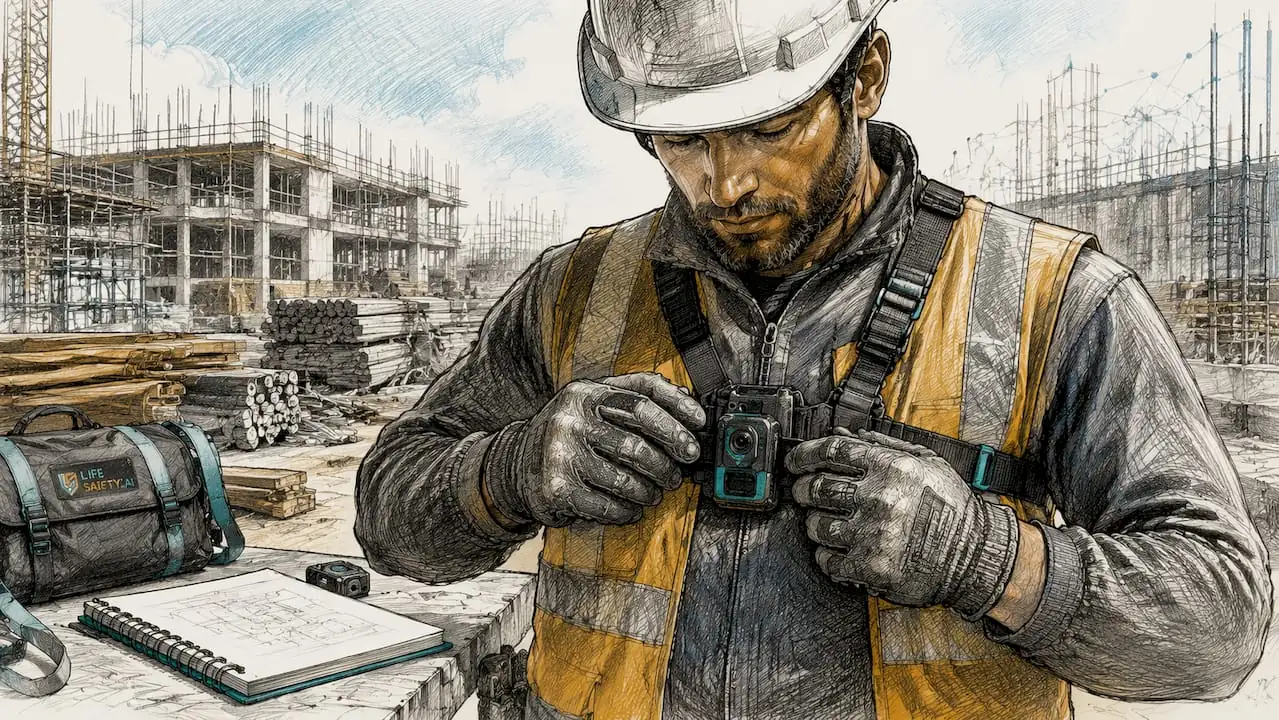
Voice memos captured via tap-and-hold preserve tone, hesitation, and immediate witness recollection in ways that transcribed text cannot. A witness statement recorded within minutes of an incident carries far more investigative weight than one written up the following morning.
Beyond evidence capture, advanced platforms offer:
- Automated severity-based notifications that alert the relevant manager or safety officer the moment a high-severity incident is submitted, without manual escalation.
- CAPA tracking (Corrective and Preventive Action) that links each incident to a follow-up task, owner, and deadline, closing the loop between reporting and resolution.
- Asset integration that connects incidents directly to equipment records, maintenance logs, and inspection histories.
Linking incidents to asset records reveals whether an event relates to equipment deficiency or procedural failure, a distinction that paper systems cannot make. This level of context transforms an incident report from a compliance document into a genuine diagnostic tool. Within LifeSafety.ai, this kind of linkage also supports stronger trend analysis, recurring defect identification, and more targeted corrective action planning.
Pro Tip: Prioritise platforms that bind GPS and reporter identity to multimedia at the point of capture, not as an optional metadata field added later. Post-capture metadata is editable and therefore less defensible under regulatory scrutiny.
How to implement mobile incident logging effectively
Adopting mobile incident logging successfully requires more than selecting a platform and distributing login credentials. The following steps reflect what works in practice for health and safety teams managing compliance across multi-site or high-risk environments.
- Select a mobile-first, offline-capable platform. Confirm offline functionality before procurement, not after. Ask for a live demonstration with flight mode enabled on the device.
- Integrate with your asset management system. Platforms that link incidents to equipment records provide richer investigation context and support maintenance-driven risk reduction.
- Train workers on the reporting workflow, not just the software. Workers need to understand what to report, not just how to submit a form. Near-miss reporting culture depends on psychological safety as much as tool usability.
- Configure automated notifications and escalation rules. Define severity thresholds in advance so that high-risk incidents reach the right person within minutes, not hours.
- Use incident data for trend analysis. Monthly review of incident categories, locations, and contributing factors turns your reporting system into a proactive risk management tool rather than a reactive compliance record.
- Maintain a centralised audit trail. All records should be timestamped, immutable, and accessible for HSE inspection without manual compilation. This is the foundation of RIDDOR compliance readiness.
For teams building a site safety management system from the ground up, mobile incident logging is often the highest-impact module to deploy first. It generates the data that informs every other safety management decision, from inspections and corrective actions to contractor assurance and board-level reporting.
Pro Tip: Run a pilot with a single team or site before full deployment. Collect usability feedback after two weeks and adjust form fields, notification rules, and training materials before rolling out organisation-wide.
Key takeaways
Mobile incident logging delivers compliance, speed, and investigation quality only when the underlying platform is built mobile-first with offline-first architecture.
| Point | Details |
|---|---|
| Speed and compliance gains | Mobile reporting reduces logging time by 83% and raises compliance rates by over 46%, based on manufacturing research. |
| Mobile-first design matters | Purpose-built mobile apps achieve usability scores of 82.7 versus 56.3 for adapted desktop systems, directly affecting adoption. |
| Offline capability is foundational | Connectivity-dependent apps create compliance gaps; offline-first architecture captures contemporaneous records regardless of signal. |
| Multimedia evidence strengthens investigations | GPS, timestamps, and reporter identity bound to photos and voice memos create audit-ready records for regulatory scrutiny. |
| Integration multiplies value | Linking incidents to asset and maintenance records distinguishes equipment failure from procedural error, improving corrective actions. |
Why mobile-first is the only standard worth accepting
I have reviewed a lot of incident reporting systems over the years, and the pattern is consistent. Organisations that adopt mobile-enabled tools, desktop platforms dressed up for a phone screen, see initial enthusiasm followed by reporting drop-off, incomplete records, and a quiet return to workarounds. Supervisors start taking verbal reports instead of insisting on direct entry. Workers postpone logging until the end of shift. Near misses disappear first, then minor injuries, and eventually the system becomes little more than a repository for incidents serious enough that someone in management insists they must be recorded.
That is why mobile-first is not a nice-to-have. It is the minimum acceptable standard. If the reporting experience does not work naturally in one hand, in poor weather, in PPE, under time pressure, and with intermittent signal, then it is not fit for purpose in real operational settings.
For UK safety professionals, the stakes are higher than convenience. Under RIDDOR, organisations must report certain work-related injuries, diseases, and dangerous occurrences within prescribed timescales. Under CDM 2015, duty holders must ensure suitable arrangements for managing health and safety throughout a project. Under the Building Safety Act, accountable persons and duty holders face increased expectations around information management, traceability, and governance. A weak incident logging process undermines all of that.
A genuinely mobile-first platform supports:
- Immediate frontline reporting before facts are lost or altered.
- Consistent data quality through structured forms and mandatory fields.
- Faster escalation for serious incidents, dangerous occurrences, and high-potential near misses.
- Stronger legal defensibility through timestamps, metadata, and immutable audit trails.
- Better learning outcomes because more low-level events are captured and analysed.
In other words, mobile-first systems do not simply digitise paperwork. They improve the quality of safety management itself. They make it easier for workers to speak up, easier for managers to respond, and easier for organisations to demonstrate that they are meeting their duties in a structured, evidence-based way.
If you are selecting a platform now, the practical test is simple: can a worker standing on a live construction site, in a plant room, on a factory floor, or in a remote field location log a complete, accurate, evidence-rich incident report in minutes, without signal, without frustration, and without needing help? If the answer is no, keep looking.
Final thoughts
Mobile incident logging has moved from optional improvement to operational necessity. The organisations seeing the strongest results are not merely replacing paper with screens. They are redesigning incident reporting around the realities of frontline work: limited time, variable connectivity, noisy environments, and the need for immediate evidence capture.
For safety leaders in construction, manufacturing, logistics, utilities, and other high-risk sectors, the opportunity is clear. A well-implemented mobile-first system can increase reporting rates, improve investigation quality, strengthen compliance readiness, and support a more proactive safety culture. It also creates a better foundation for connected safety management, where incidents, inspections, actions, assets, and training records all inform one another.
That is where platforms such as LifeSafety.ai add the most value. When incident logging is connected to corrective actions, asset records, inspections, and compliance workflows, the organisation gains more than a digital form. It gains a live safety intelligence system.
The best time to improve incident reporting is before the next serious event tests your process. If your current system still depends on paper, delayed desktop entry, or unreliable mobile access, now is the time to raise the standard.
Strengthen incident reporting with LifeSafety.ai
Bring mobile incident logging, corrective actions, inspections, and compliance records into one connected platform designed for high-risk UK environments.
Related Articles

Workplace safety software for construction teams
Discover top-rated workplace safety software for construction. Improve incident tracking, compliance, and safety analytics with Lifesafety!

LifeguardAI.co.uk alternatives for UK safety managers: 2026
Discover top lifeguardai.co.uk alternatives for UK safety managers. Explore Lifesafety and other innovative solutions to enhance workplace safety.

Site audit recommendations: your 2026 action plan
Unlock the power of effective site audit recommendations. Follow our 2026 action plan to boost indexing, enhance content quality, and improve site speed.