
Advantages of automated incident reporting in 2026
Advantages of automated incident reporting in 2026
Automated incident reporting helps construction and manufacturing teams document events faster, improve data quality, and maintain stronger compliance with RIDDOR, HSE expectations, CDM 2015, and wider UK safety governance requirements.
TL;DR
- Automated incident reporting speeds up safety processes by reducing reporting time and increasing compliance.
- It improves accuracy through mandatory fields and timestamped data, helping organisations meet regulatory standards.
Automated incident reporting is defined as the use of digital systems to capture, route, and store workplace incident data without manual re-entry or paper-based processes. For health and safety professionals in construction and manufacturing, the advantages of automated incident reporting are direct and measurable: faster documentation, fewer errors, and stronger compliance with UK regulations including RIDDOR and CDM 2015. Platforms like LifeSafety bring these benefits together in a single AI-driven system, replacing clipboards and spreadsheets with mobile logging, real-time dashboards, and audit-ready records. The gap between manual and automated approaches is no longer marginal. It is the difference between reactive paperwork and proactive safety management.
1. How automated incident reporting speeds up workplace safety processes
Speed is the most immediate benefit of incident automation. A six-month manufacturing study involving 120 production workers found that real-time mobile reporting reduced average reporting time from 47 minutes to 8 minutes, an 83% reduction. That time saving frees your safety team to act on hazards rather than chase paperwork.
The same study recorded a 46.4% increase in overall reporting compliance. Workers who previously skipped reporting because the process was too slow or cumbersome began logging incidents consistently. Frictionless capture changes behaviour, not just efficiency.
Near-miss reporting saw the most dramatic shift. Near-miss reports increased by over 200% when mobile reporting replaced manual forms. Near misses are the leading indicator of serious accidents, so capturing more of them gives safety managers the data they need to prevent harm before it occurs.
Key speed advantages include:
- Incidents logged at the point of occurrence via mobile app, not hours later at a desk
- Automatic routing to supervisors and safety officers without manual forwarding
- Real-time dashboards updated the moment a report is submitted
- Automated alerts for high-severity events requiring immediate response
Pro Tip: Configure your mobile reporting app to allow photo and voice note attachments at the point of capture. Workers on a construction site or factory floor are far more likely to report accurately when they can document what they see in seconds, not sentences.
2. Why improved accuracy matters in incident documentation
Accuracy in incident records is not just a quality issue. It is a legal one. Documentation delays over 20 minutes increase error rates from 1.30% to 38.43%. That figure represents the difference between a defensible record and one that collapses under regulatory scrutiny.

Manual processes rely on human memory, handwriting, and re-keying. Each step introduces error. Automated systems capture data at the moment of the event, with timestamps applied automatically and submitter identity recorded without ambiguity.
Structured digital forms aligned with RIDDOR requirements enforce mandatory fields at the point of capture. A worker cannot submit an incomplete report if the system requires a location, injury type, and witness name before the form will save. That enforcement is invisible to the user but critical to the safety manager reviewing records months later.
Key accuracy benefits include:
- Timestamped entries that cannot be altered retrospectively
- Mandatory field enforcement preventing incomplete submissions
- Consistent data structure across all sites and shifts
- Automatic version control so the record of any edit is preserved
Stat callout: 51.4% of manually documented events in one study had delays, producing an overall error rate of 17.01%. Automated capture eliminates the delay entirely.
Pro Tip: Set mandatory fields for location, injury classification, and immediate action taken. These three data points are the ones most frequently missing from manual reports and the ones most scrutinised during HSE inspections.
3. In what ways automated workflows enhance incident investigation
Capturing an incident is only the first step. The real compliance value comes from what happens next. Automated workflows enforce consistent follow-up by assigning investigation tasks, setting deadlines, and routing notifications to the right people without manual intervention.
Manual systems place the burden of follow-up on individual managers. If a supervisor is off site or changes role, investigations stall. Automated routing removes that dependency. The system assigns the investigation to the correct person based on incident type, location, or severity, and sends reminders if deadlines are missed.
Structured investigation workflows deliver four specific gains:
- Assigned ownership. Every investigation has a named responsible person from the moment the report is submitted.
- Deadline tracking. The system flags overdue investigations automatically, keeping compliance timelines visible to senior management.
- Evidence preservation. Timestamped audit trails survive staff turnover and multi-site operations, providing a complete evidence chain for legal and internal audits.
- Corrective action integration. Findings link directly to risk assessments and corrective action registers, closing the loop between incident and prevention.
LifeSafety’s accident investigation module connects incident records to root cause analysis tools and corrective action tracking in one place. That integration means your team spends time on analysis, not on copying data between systems.
Pro Tip: Link every investigation to at least one corrective action with a named owner and a completion date. Regulators and insurers look for evidence that findings led to change, not just documentation.
4. Manual versus automated incident reporting: a direct comparison
The operational difference between manual and automated systems is substantial across every dimension that matters to health and safety professionals.
| Factor | Manual reporting | Automated reporting |
|---|---|---|
| Average reporting time | 47 minutes | 8 minutes |
| Error rate with delays | Up to 38.43% | Near zero with mandatory fields |
| Near-miss capture rate | Low, due to friction | Over 200% increase recorded |
| RIDDOR compliance | Relies on individual knowledge | Enforced by structured digital forms |
| Audit readiness | Dependent on filing discipline | Always-on, timestamped audit trail |
| Investigation follow-up | Manual assignment and chasing | Automated routing and deadline alerts |
| Multi-site consistency | Variable | Standardised across all locations |
The data makes the case clearly. Automation reduces mean time to detection and mean time to recovery by removing human intervention from the alert and routing stages. Faster detection means faster response, and faster response means fewer escalations.
Manual re-entry and document cycling also wastes significant time that could be directed at prevention. Automation shifts effort from repeated data work to structured follow-up, delivering efficiency gains that compound across a large workforce.
5. How to implement automated incident reporting effectively
Selecting an automated reporting system is straightforward when you focus on the features that directly affect compliance and adoption. The wrong choice is a system that is technically capable but ignored by the workers who need to use it.
Prioritise these factors when evaluating any platform:
- Mobile accessibility. Workers on a construction site or factory floor need to report from a phone or tablet, not a desktop. If the system requires a desk, reporting will be delayed.
- RIDDOR integration. The platform should automatically determine RIDDOR reportability based on the data entered, not rely on the reporter to make that judgement.
- Offline capability. Construction sites and manufacturing facilities often have poor connectivity. The system must queue reports and sync when a connection is restored.
- Dashboard visibility. Safety managers need a live view of open incidents, overdue investigations, and trend data without running manual reports.
- Training simplicity. A system that requires a full day of training will face resistance. Look for platforms deployable in minutes with intuitive interfaces.
Cultural adoption matters as much as technical capability. Workers who understand why they are reporting, and who see that reports lead to visible improvements, report more consistently. Pair your system rollout with a short toolbox talk explaining the benefits of near-miss reporting and how the data is used to protect them.
Integration with existing compliance frameworks is the final check. Your platform should connect incident data to risk assessments, safety audits, and training records so that your safety management system works as a whole rather than as isolated modules.
Key takeaways
Automated incident reporting delivers measurable gains in speed, accuracy, and compliance that manual processes cannot match.
| Point | Details |
|---|---|
| Speed of reporting | Automation reduces average reporting time from 47 minutes to 8 minutes. |
| Accuracy and completeness | Mandatory digital fields cut error rates that reach 38.43% with manual delays. |
| Near-miss capture | Frictionless mobile reporting increases near-miss submissions by over 200%. |
| Audit and compliance readiness | Timestamped audit trails satisfy RIDDOR and HSE requirements without extra effort. |
| Investigation follow-up | Automated routing and deadline tracking keep investigations on track after submission. |
Why I think most safety teams underestimate the post-reporting problem
Harry’s perspective on automated reporting in construction and manufacturing
Most conversations about automated incident reporting focus on the moment of capture. Speed, ease, mobile access. Those gains are real and I have seen them first-hand. But the bigger problem in most organisations I have worked with is what happens after the report is submitted.
Investigations stall. Corrective actions sit unassigned. Evidence degrades because the person who witnessed the incident has moved to another site. Manual systems make this almost inevitable. Automation does not just speed up the front end. It forces structure onto the back end, and that is where the compliance value actually lives.
The resistance I encounter most often is cultural, not technical. Experienced site managers sometimes see digital reporting as surveillance rather than support. The way to address that is to show them the data. When near-miss reports triple and no serious accidents follow, the connection becomes obvious. The technology is not the hard part. Getting your team to trust it is.
The future of safety management in construction and manufacturing is not paperless for its own sake. It is about having records that are defensible, investigations that are complete, and trends that are visible in real time. Automation is the only practical way to achieve all three at scale.
— Harry
LifeSafety’s incident management platform for construction and manufacturing
LifeSafety is built specifically for UK workplaces in construction and manufacturing, where RIDDOR compliance and real-time site visibility are non-negotiable.
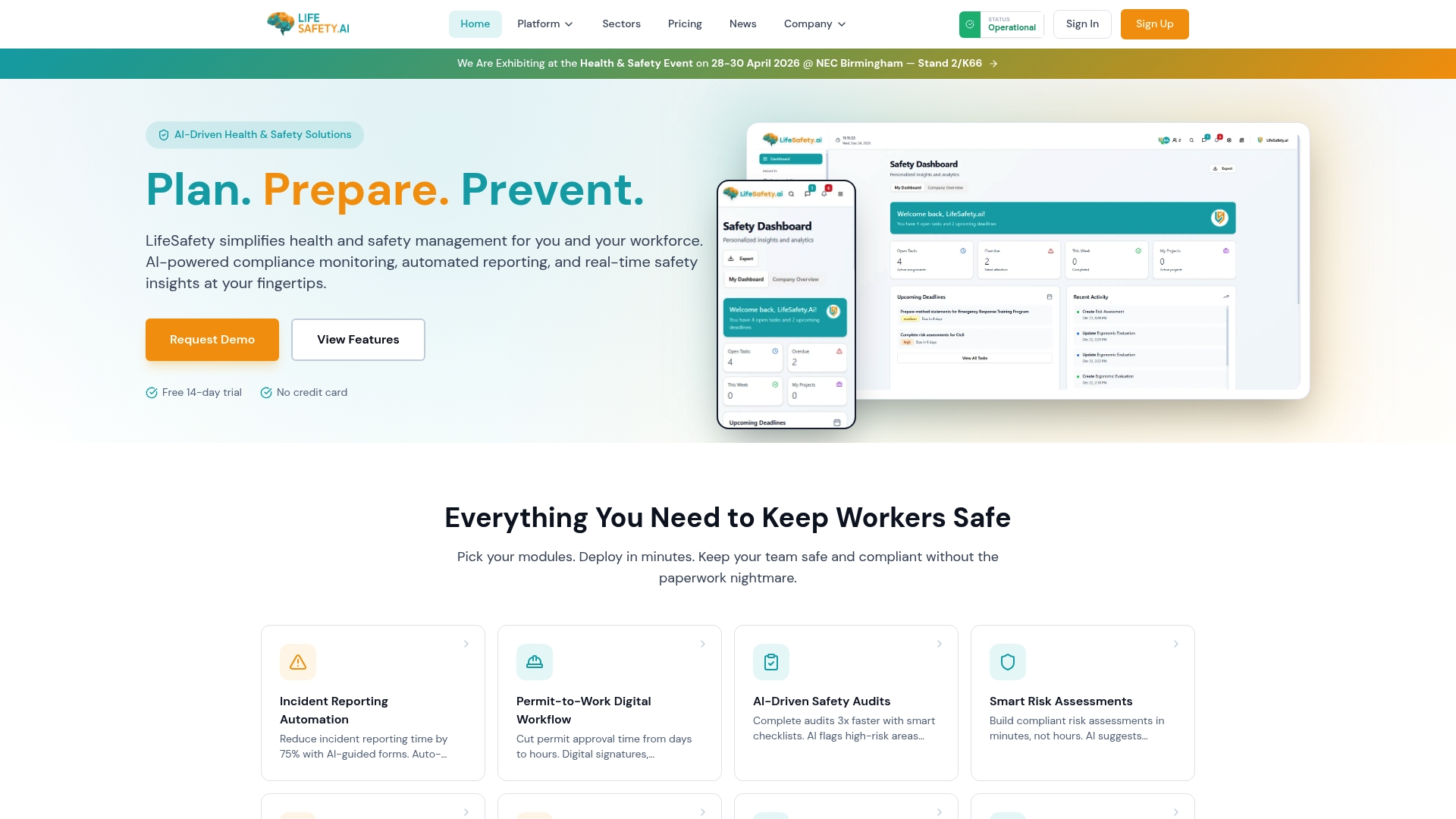
The platform supports faster incident capture, structured investigations, corrective action tracking, and audit-ready reporting across multiple sites. For organisations managing principal contractor duties, supply chain oversight, or higher-risk operations, this creates a more reliable line of sight from event to action.
- Mobile-first reporting for incidents, hazards, and near misses
- Automated workflows for investigation assignment and escalation
- RIDDOR-aware data capture to support consistent reporting decisions
- Live dashboards for trends, overdue actions, and site-level performance
- Connected compliance records linking incidents to audits, RAMS, and training evidence
This is particularly valuable in environments shaped by CDM 2015, the Building Safety Act, and increasing expectations around accountable record keeping. Digital evidence, clear ownership, and timely follow-up are no longer optional extras. They are part of competent safety management.
Final word
For UK construction and manufacturing businesses, the advantages of automated incident reporting are practical rather than theoretical. Faster reporting improves response times. Better data quality strengthens legal defensibility. Automated workflows reduce the risk of incomplete investigations and missed corrective actions. Most importantly, the organisation gains a clearer picture of where harm is developing before it becomes a reportable event.
In 2026, the question is no longer whether digital incident reporting is useful. It is whether manual systems can still provide the speed, consistency, and audit trail that modern compliance expectations demand.
Related Articles

Workplace safety software for construction teams
Discover top-rated workplace safety software for construction. Improve incident tracking, compliance, and safety analytics with Lifesafety!

LifeguardAI.co.uk alternatives for UK safety managers: 2026
Discover top lifeguardai.co.uk alternatives for UK safety managers. Explore Lifesafety and other innovative solutions to enhance workplace safety.

Site audit recommendations: your 2026 action plan
Unlock the power of effective site audit recommendations. Follow our 2026 action plan to boost indexing, enhance content quality, and improve site speed.